
X-Mountains
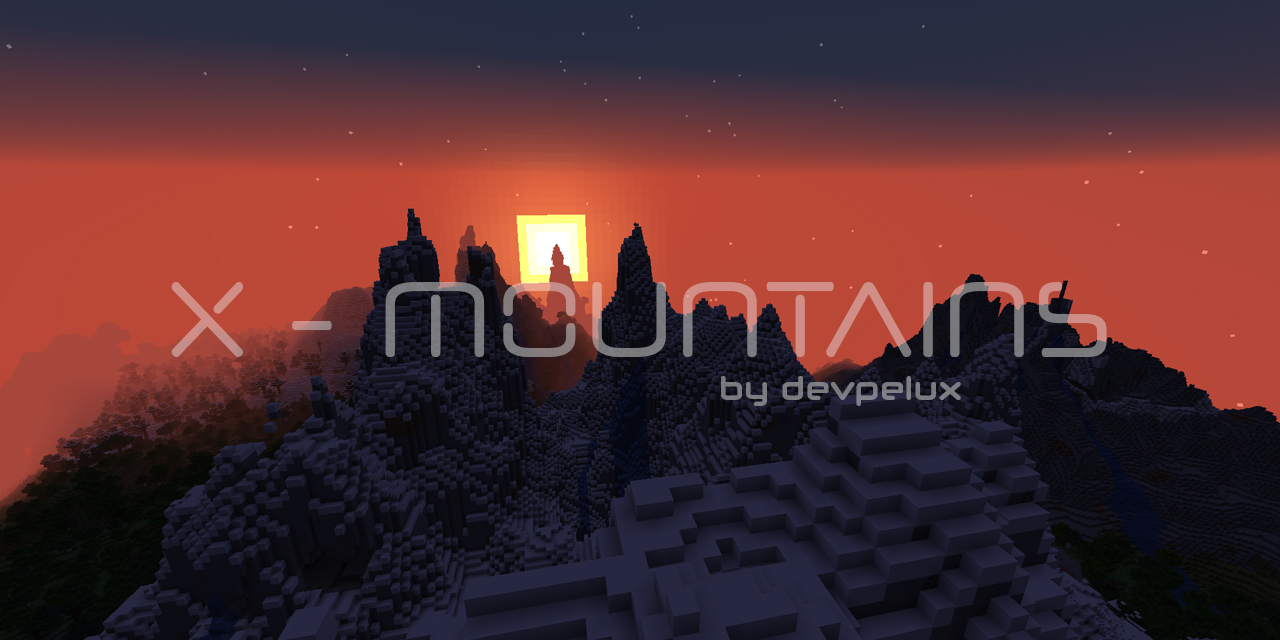
This datapack removes the 256 height limit to the new mountains (and world) generation of the overworld.
截图


介绍

X-Mountains
“Extreme Mountains” datapack for Minecraft
This datapack removes the 256 height limit to the new mountains (and world) generation of the overworld.
With 1.18 “Caves & Cliffs” update, mountains can go very high, in some cases above 250+ blocks!
If you love build very high towers on top of the mountains, and they are too high, there may be not enough space to build (the max build limit is 319).
To make things easier, avoiding terraforming before building, the actual world generation height is limited to 256 blocks, even if a mountain “wants go higher”.
This is a good solution, but, for a bunch of blocks, there is an evident side effect: mountains higher that 256 are cutted off (like with a katana!) generating a flat unnatural area.
This is even more noticeable in a mountain range, in which all mountains are cutted at the same height, resulting in this:

Anyway, even without this limit, mountains rarely go beyond 290+ height, and there is still enough space to build (maybe not that 50-blocks height tower…).
After removing the top limit you can see the real majesty of this beautiful new mountain generation!
You will find more higher mountains without that unnatural flat area on top! Only peaks!

How to install
Step 1
Download the datapack zip file for your Minecraft version.
Step 2
Open Minecraft and click to create a new world.
Step 3
Before start generating the world click the “Data Packs” button from the “More” tab: it will open a new window.
Step 4
Drag and drop the downloaded zip file to that window, then activate the datapack by moving it on the right side.
(Make sure it is over the default datapack)
Step 5
Click “Done”, create the world, and enjoy!
License
Copyright (C) 2021-2023 devpelux (Salvatore Peluso)
Licensed under MIT license.
常见问题
X-Mountains 支持哪些 Minecraft 版本?
X-Mountains 支持 Minecraft Java 版 1.18–1.20.1,共 10 个版本。下载时注意选择和你游戏版本一致的文件。
X-Mountains 怎么安装?
新建世界时在「数据包」里把下载的 .zip 拖进去;已有的存档,把文件放进存档目录下的 datapacks 文件夹,进游戏输入 /reload 即可生效。服务器同样放在世界目录的 datapacks 里。

评论
登录后评论和评分