
截图


介绍
One mod. Every little job.
Most utility mods do one job. One zooms, one copies chat, one sorts your chests, one reconnects you after a kick. That works fine until your mods folder has thirty of them, each with its own config screen, its own keybinds and its own update schedule.
EMUtils does all of those jobs. One jar, one settings hub, and one update when Minecraft moves on. It’s client-side only, so there’s nothing to install on the server.
What’s inside
- Render: Zoom, Freelook, Fullbright, Clear Weather, Light Level Overlay, Beacon Radius Outline, custom capes, and a stack of visual tweaks.
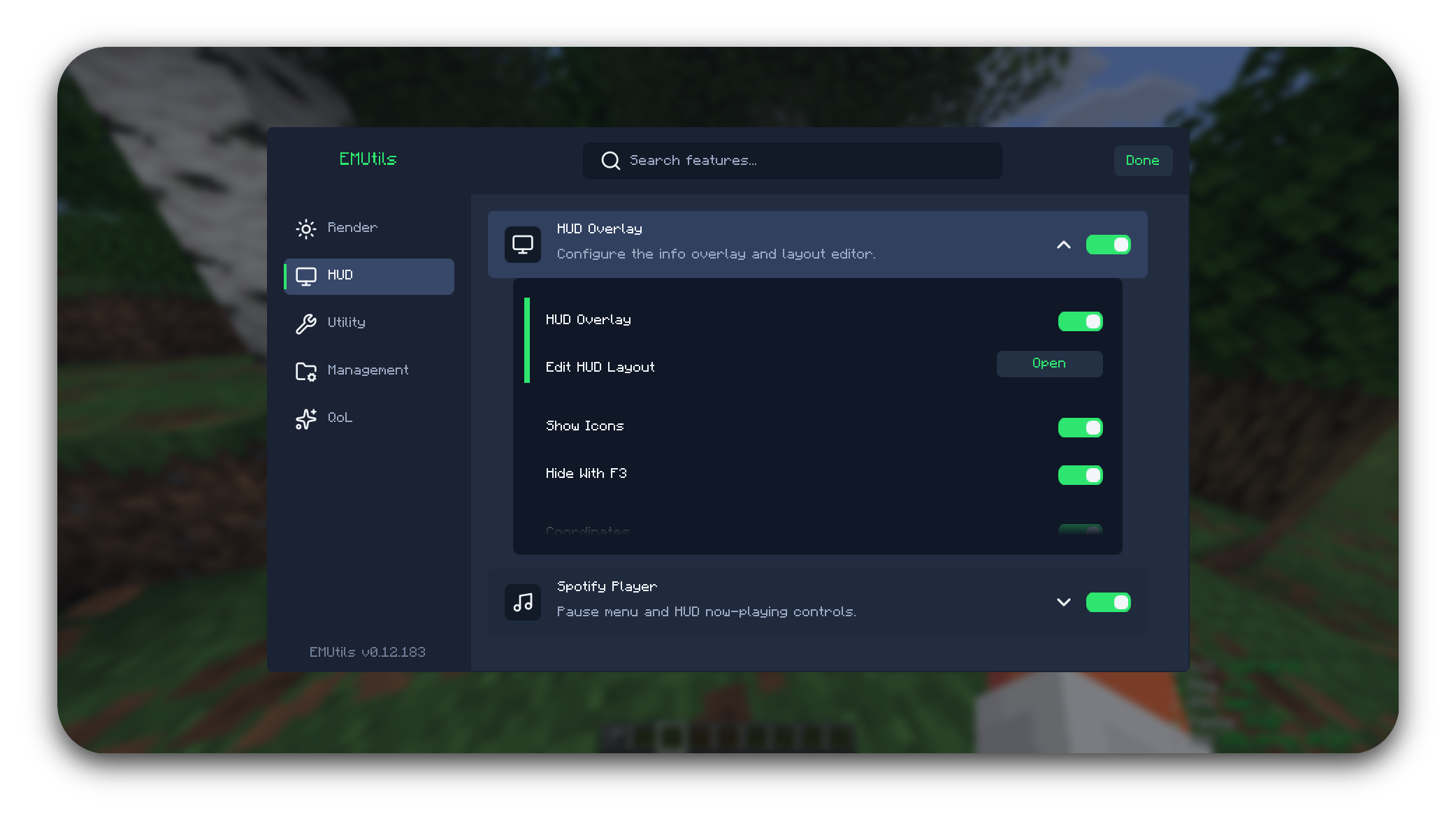
- HUD: an info overlay with a drag-and-drop layout editor, Food HUD, and Spotify now playing.
- Utility: Auto Reconnect, Screenshot Helper, and death and custom Waypoints.
- Management: a settings hub, Screenshot Gallery, Pack Manager with Modrinth search, and Script Manager.
- QoL: chat copy and filters, Sort Buttons, Quick Stack, Slot Locking, Auto Tool, Auto Flight Gear, Free Camera, Safe Walk, and Fast Place.
Every feature has its own on/off switch. See the full feature list for every setting.
Getting started
- Install Fabric Loader and Fabric API.
- Download the EMUtils version for your Minecraft version and drop it in your
modsfolder. - Open the settings from the pause menu, with
/emutils, or through Mod Menu.
Supports: Minecraft 26.2 and 26.3 · Java 25 · Fabric Loader 0.19.3+
EMUtils follows the two latest Minecraft releases. Older Minecraft versions can keep using the older EMUtils versions listed on the Versions tab.
Optional integrations: Mod Menu for the config button, Iris for shader switching in Pack Manager, Minescript for Script Manager, and Xaero’s Minimap / World Map for beacon boundaries on the map.
Feedback
Found a bug or have an idea? Let me know at EMUtils Feedback.
AI notice
EMUtils was made with heavy help from AI. I was tired of needing a million mods for a million small things, and wanted one mod that does it all.
Licensed under Apache 2.0 · Source on GitHub
常见问题
EMUtils 支持哪些 Minecraft 版本?
EMUtils 支持 Minecraft Java 版 1.21.9–26.3,共 8 个版本,可用的加载器:Fabric。下载时注意选择和你游戏版本一致的文件。
EMUtils 怎么安装?
先用 PCL2 或 HMCL 启动器安装对应版本的 Fabric,再把下载的 .jar 文件放进游戏目录的 mods 文件夹,重新启动游戏即可。开启了版本隔离的,mods 文件夹在 versions/版本名 下面。运行环境:仅客户端。
评论
登录后评论和评分