
介绍
QuickSlots
QuickSlots enhances your Minecraft gameplay by letting you instantly use items from your hotbar with custom keybinds! Press a key to activate a slot and simulate a right-click—perfect for quickly using a bow, eating food, or placing a block. After activation, the mod can return you to your original slot after a configurable delay, ensuring seamless inventory management.
Features
- Custom Keybinds: Assign keys to each hotbar slot (1-9) to instantly use the item in that slot.
- Right-Click Simulation: Activates the item as if you right-clicked (e.g., shoot a bow, eat food, place a block).
- Configurable Delay: Set a delay (0 to 1 second) before returning to your original slot after activation.
- Config Screen: Customize settings via an in-game config screen, accessible with a keybind (default:
P) or through ModMenu. - Toggle the mod on/off.
- Enable/disable right-click simulation for empty slots.
- Adjust the return delay.
- Smart Slot Handling: If you manually switch slots during the delay, the return is canceled, giving you full control.
- Localization: Supports English and Russian, with more languages easily added.
Compatibility
- Minecraft Version: 1.20.x-1.21.x
- Mod Loader: Fabric
- Dependencies:
- Cloth Config (v11.0.0 or higher)
- ModMenu (Optional for config screen access)
- Works well with most other mods, as it only modifies hotbar interactions.
Happy slotting! 🚀
常见问题
QuickSlots 支持哪些 Minecraft 版本?
QuickSlots 支持 Minecraft Java 版 1.20–1.21.5,共 13 个版本,可用的加载器:Fabric。下载时注意选择和你游戏版本一致的文件。
QuickSlots 怎么安装?
先用 PCL2 或 HMCL 启动器安装对应版本的 Fabric,再把下载的 .jar 文件放进游戏目录的 mods 文件夹,重新启动游戏即可。开启了版本隔离的,mods 文件夹在 versions/版本名 下面。运行环境:仅客户端。
euphorria_a 的其他作品
查看全部 →
AutoFish+
Enhance your fishing experience with automatic recasting, customizable delays, and smart rod management — all in a clean and lightweight mod.
DisplayFPS
DisplayFPS shows your in-game FPS with customizable colors, positions, and background options. Perfect for monitoring performance in style!
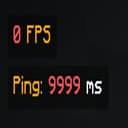
Widgets
A customizable HUD mod that displays FPS, ping, coordinates, time, date, memory, CPU, and GPU info. Move widgets anywhere on the screen, adjust their appearance, and toggle them on/off via an in-game config menu.

AxeControl
Requires sneaking (Shift) to strip logs with an axe. Client-side mod for enhanced control.
评论
登录后评论和评分