
ReHued Carbon
Vanilla textures, regraded with a cohesive blue-purple tone for a cleaner, more polished look.
截图

介绍
ReHued Carbon
ReHued Carbon is a vanilla-friendly resource pack that refines the color palette of diamond-related textures using a consistent blue–purple grading.
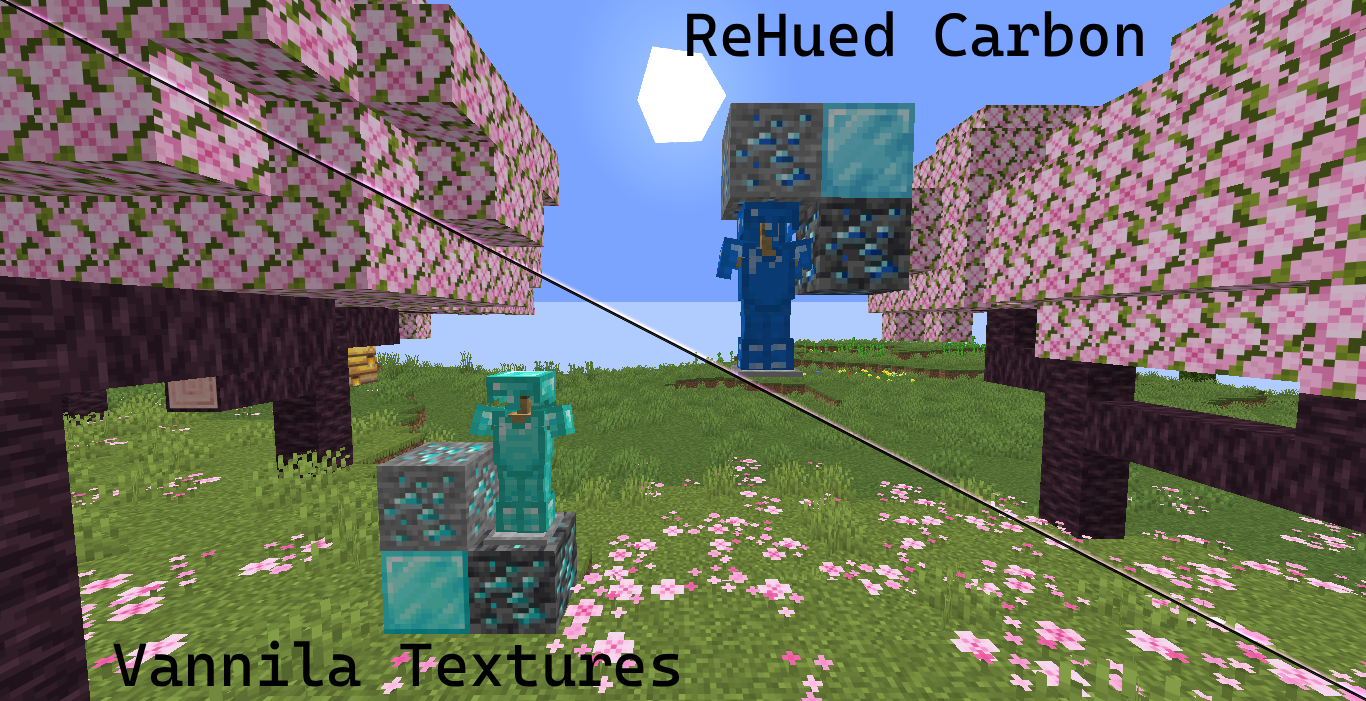
Instead of redesigning textures, this pack focuses on subtle, systematic adjustments to hue and saturation. The result is a cleaner, more cohesive look that feels natural within Minecraft’s original style.
Give your feedback/experience at:
- FlossyFish63943 [Discord]
OR
- [email protected] [EMail]
Features
- Consistent blue–purple color grading
- Preserves original shading and texture detail
- Works across diamond tools, armor, and related items
- Balanced to avoid over-saturation or visual noise
- Lightweight and compatible with other vanilla-style packs
Approach
This pack was created using a custom color processing workflow that:
- Adjusts hue while preserving brightness (value)
- Applies weighted changes based on saturation
- Protects dark outlines and bright highlights
- Minimizes distortion of non-target materials (like wood)
The goal is not to replace Minecraft’s art style, but to refine it.
Variants
Part of the ReHued series:
- ReHued Carbon – Diamond
- ReHued Aurum – Gold (planned)
- ReHued Cuprum – Copper (planned)
- ReHued+ – Combined pack (planned)
Philosophy
Not a redesign. A refinement.
Installation
- Download the pack
- Place it in your
.minecraft/resourcepacksfolder - Enable it in-game
License
This project is licensed under the Creative Commons Attribution 4.0 International (CC BY 4.0).
You are free to:
- Share — copy and redistribute the material
- Adapt — remix, transform, and build upon it
Under the following terms:
- Attribution — You must give appropriate credit
常见问题
ReHued Carbon 支持哪些 Minecraft 版本?
ReHued Carbon 支持 Minecraft Java 版 1.21–1.21.11,共 12 个版本。下载时注意选择和你游戏版本一致的文件。
ReHued Carbon 怎么安装?
把下载的 .zip 文件(不用解压)放进游戏目录的 resourcepacks 文件夹,进游戏后在「选项 → 资源包」里把它移到右边启用。

评论
登录后评论和评分