Lumiose City Cosmetics
A fan-made resource pack inspired by the fashion and characters of Legends Z-A, designed for the Custom Roleplay Data datapack. Bring the style of Lumiose City into Minecraft with a collection of custom 3D cosmetics, including hairstyles & hats
截图

介绍
Lumiose City Cosmetics
A collection of custom 3D hairstyles, hats, and cosmetic accessories inspired by the fashion and style of Lumiose City.
Bring the elegant fashion of Lumiose City to your Minecraft world with a variety of wearable cosmetics, including hairstyles, hats, glasses, crowns, headbands, and decorative accessories. Every item is purely visual and intended for roleplay and character customization.
This resource pack is designed to work with the Custom Roleplay Data datapack. It contains the custom models, textures, and pack.mcmeta required to display the cosmetics in-game.
✨ Features
- 💇 Custom hairstyles
- 🎩 Hats and headwear
- 👑 Crowns and headbands
- 👓 Cosmetic glasses
- 🎒 Decorative backpack cosmetic (visual only)
- 🎭 Perfect for roleplay and multiplayer servers
- ⚡ Lightweight resource pack
📦 Requirements
- Minecraft Java Edition
- Custom Roleplay Data datapack
- This resource pack
- A Carved Pumpkin (used as the cosmetic item)
📖 Cosmetic IDs
Equip a cosmetic using:
/trigger CustomModelData set <ID>Spoiler
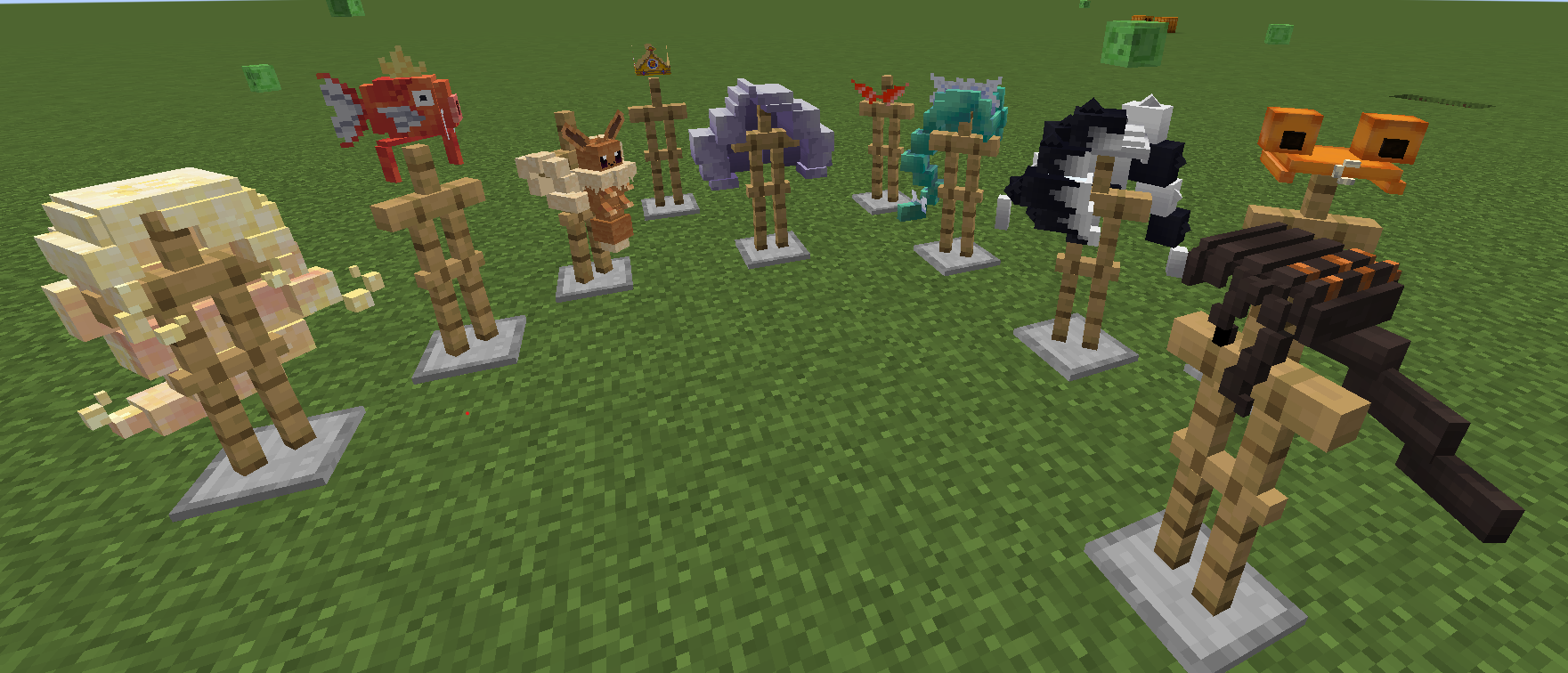
💇 Hairstyles
| ID | Cosmetic |
| -: | ——— |
| 1 | Top Hat (Test) |
| 2 | Teddiursa Headband |
| 4 | Jacinthe |
| 7 | Lebanne |
| 8 | Pierss |
| 10 | Cynthia |
| 11 | Naveen |
| 12 | Gwynn |
| 13 | Canari |
| 14 | Leon |
🎒 Accessories
| ID | Cosmetic |
| -: | ——— |
| 3 | Magikarp |
| 5 | Burger King Crown |
| 6 | Bubba Glasses |
| 9 | Eevee Bag (visual only) |
🔄 Reset
| ID | Action |
| -: | —— |
| 0 | Remove Cosmetic / Default Pumpkin |
📜 Disclaimer
This is an unofficial fan-made resource pack inspired by the fashion and aesthetic of Lumiose City. It is not affiliated with or endorsed by any official franchise or its rights holders.
常见问题
Lumiose City Cosmetics 支持哪些 Minecraft 版本?
Lumiose City Cosmetics 支持 Minecraft Java 版 1.21–1.21.1,共 2 个版本。下载时注意选择和你游戏版本一致的文件。
Lumiose City Cosmetics 怎么安装?
把下载的 .zip 文件(不用解压)放进游戏目录的 resourcepacks 文件夹,进游戏后在「选项 → 资源包」里把它移到右边启用。
评论
登录后评论和评分