
截图
介绍
dReconnect — Auto Reconnect for Servers
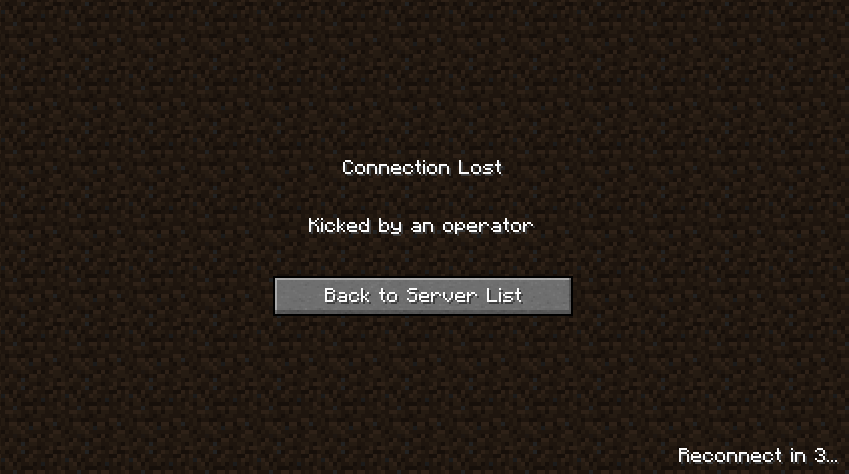
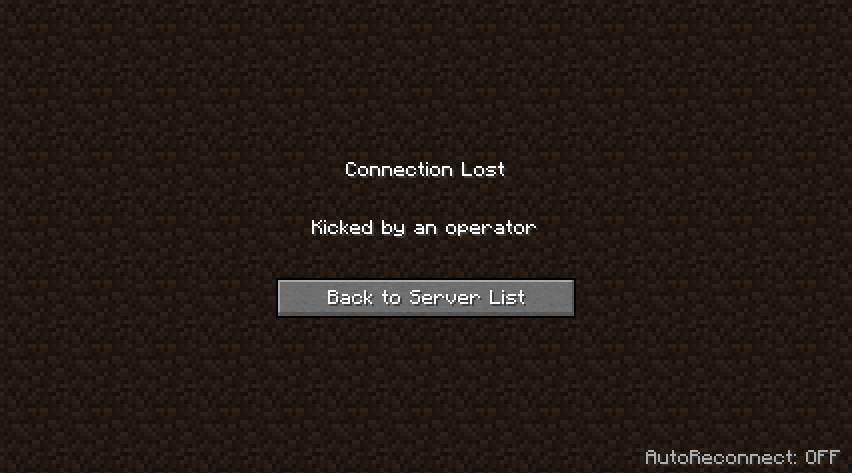
A small client mod for Architectury that adds a neat “autoreconnect” after being kicked from a server. An inconspicuous label appears in the lower right corner of the disconnect screen, and clicking it enables the auto-connect mode and starts a countdown.
Features
- An unobtrusive “AutoReconnect” switch on the disconnect screen.
- A countdown before the reconnect attempt (customizable).
- Instant on/off by clicking on the text.
- Quick hotkey: R (on the disconnect screen).
How it works
- After you’re kicked from the server, there will be text at the bottom right:
- “AutoReconnect: OFF” – auto-reconnect is off.
- “AutoReconnect: ON” – auto-reconnect is on.
- “Reconnect in N…” – countdown to reconnect.
- Clicking on the text enables/disables autoreconnect; when enabled, the timer starts.
Settings
File: config/dreconnect.json
countdownSeconds— countdown time before reconnect
{
  "countdownSeconds": 3
}
常见问题
dReconnect 支持哪些 Minecraft 版本?
dReconnect 支持 Minecraft Java 版 1.20.1,可用的加载器:Fabric / Forge。下载时注意选择和你游戏版本一致的文件。
dReconnect 怎么安装?
先用 PCL2 或 HMCL 启动器安装对应版本的 Fabric / Forge,再把下载的 .jar 文件放进游戏目录的 mods 文件夹,重新启动游戏即可。开启了版本隔离的,mods 文件夹在 versions/版本名 下面。运行环境:仅客户端。
SOVA STUDIO 的其他作品
查看全部 →
Create: Artifact
Create: Artifact this mod will add some artifacts related to the Create mod

Create: Garden
Garden House-mod for optimizing plant cultivation, adding a greenhouse, improvements, fertilizers and new ore. Greenhouses allow you to grow plants at any time of the year, and improvements accelerate growth and increase yields.
评论
登录后评论和评分