
Better Death: Aftermath
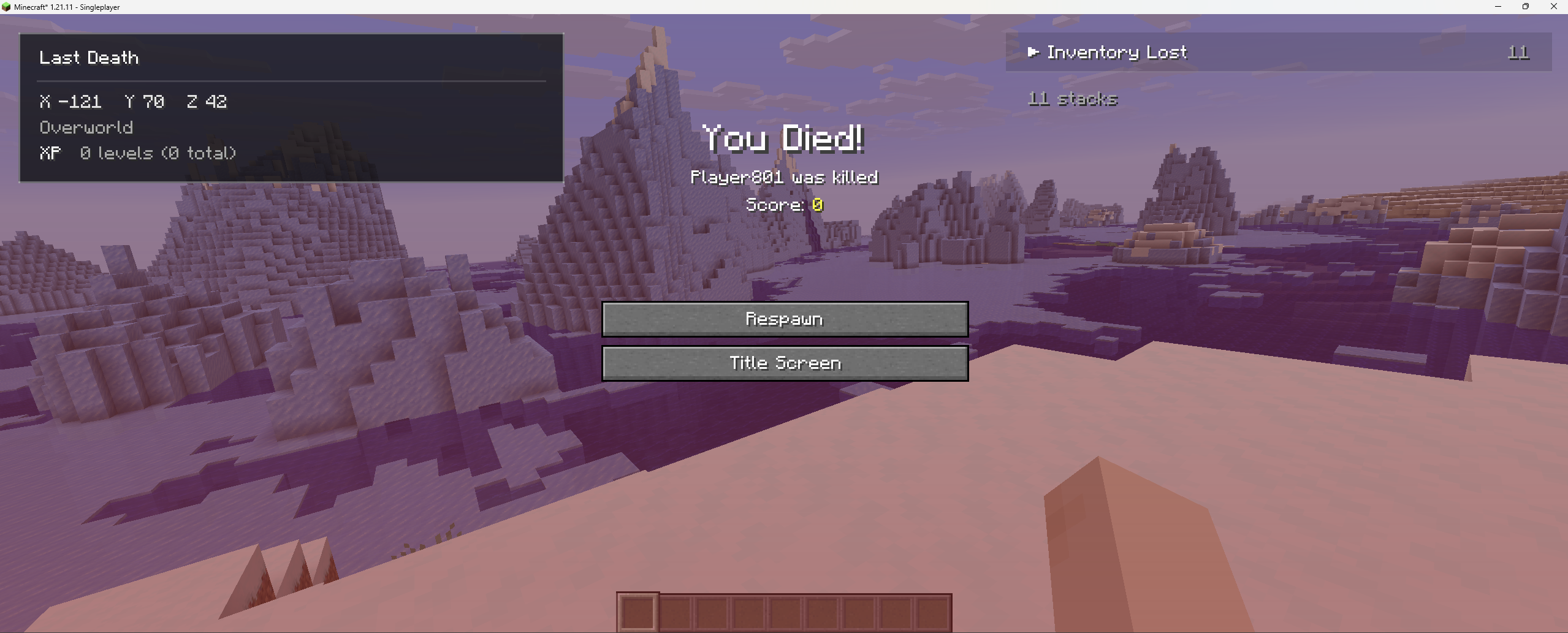
Better Death enhances Minecraft’s death screen with a clean, informative summary of what happened.
截图
介绍

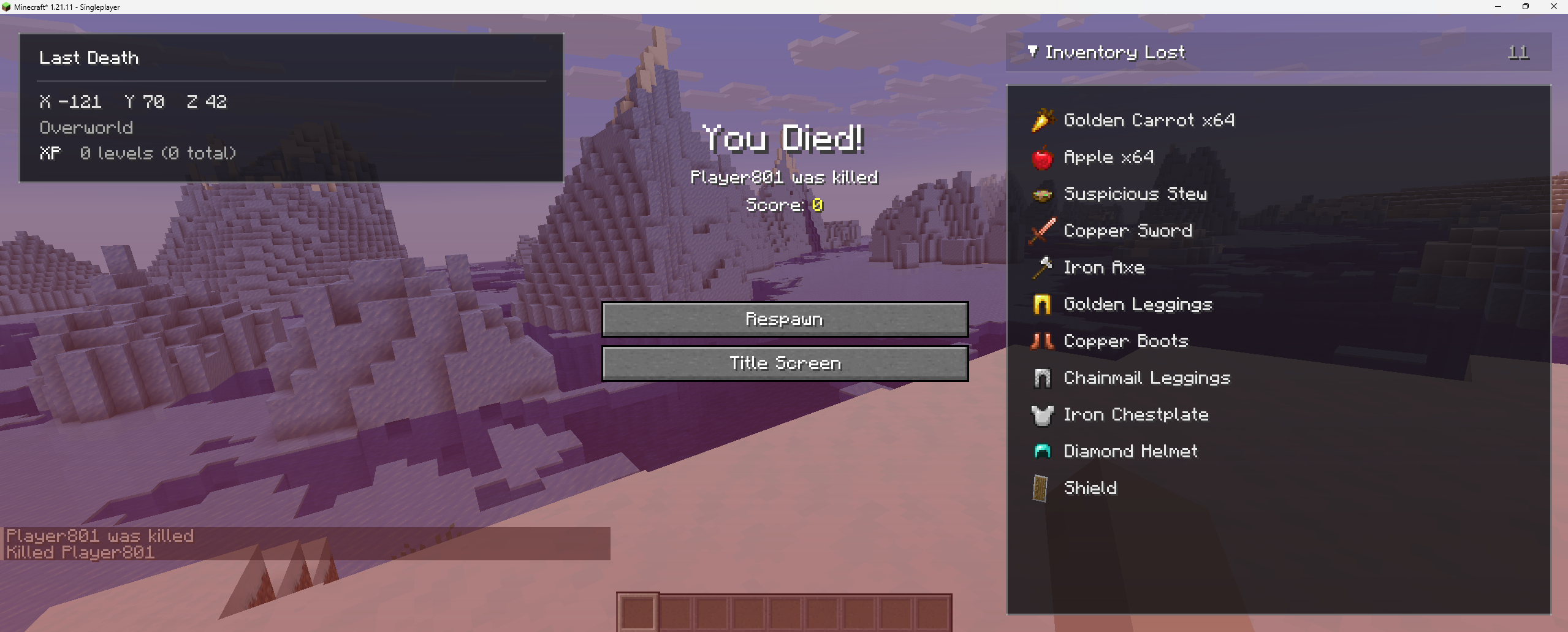
Better Death improves Minecraft’s death screen with useful information about your death while keeping the clean, vanilla feel.
No graves. No free teleports. No unnecessary clutter.
Features
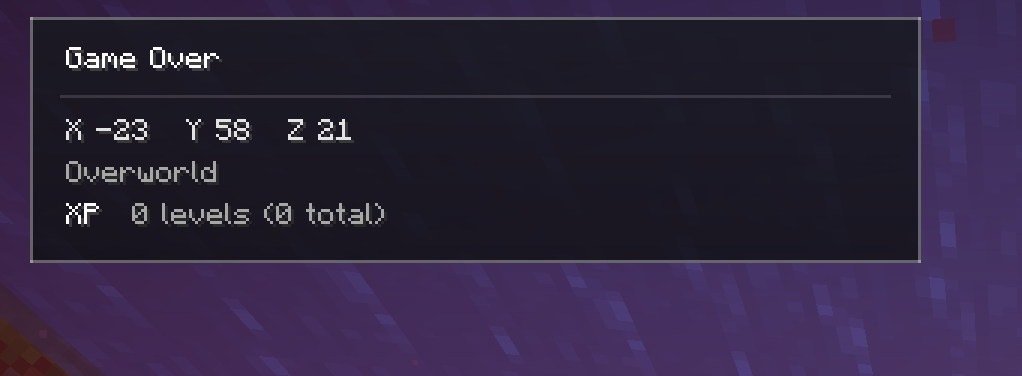
- Shows your death coordinates and dimension
- Displays the inventory and equipment you had when you died
- Optional Curios support
- Shows a timeline of your final moments
- Saves your recent Death History
- Press H to view previous deaths

- Copy your death coordinates or a
/tpcommand - Item tooltips are preserved in death history
- Special Game Over message in Hardcore mode
- Works in singleplayer and multiplayer
- Fully client-side — the server does not need the mod
- No required dependency mods
Why Better Death?

Better Death helps you quickly answer:
- Where did I die?
- What items did I have?
- What actually killed me?
It gives you the information you need without removing the consequences of death.
Keep the Vanilla Feel
Minimaps, graves, and waypoint mods are great, but sometimes you just want a little extra information without changing how Minecraft feels.
No shortcuts. No clutter. Just clarity.
Compatibility
- Minecraft 1.21.1
- NeoForge
- Singleplayer and multiplayer
- Optional Curios integration
- Lightweight and client-side
常见问题
Better Death: Aftermath 支持哪些 Minecraft 版本?
Better Death: Aftermath 支持 Minecraft Java 版 1.21.1–1.21.11,共 2 个版本,可用的加载器:Fabric / NeoForge。下载时注意选择和你游戏版本一致的文件。
Better Death: Aftermath 怎么安装?
先用 PCL2 或 HMCL 启动器安装对应版本的 Fabric / NeoForge,再把下载的 .jar 文件放进游戏目录的 mods 文件夹,重新启动游戏即可。开启了版本隔离的,mods 文件夹在 versions/版本名 下面。运行环境:仅客户端。
Bandit-bytes 的其他作品
查看全部 →
Mob Sunscreen
阻止那些通常会在阳光下燃烧的怪物燃烧。

Mobs of Mythology
在Minecraft中发现神话生物的世界!

Too Many Bows
为你的冒险准备超多史诗级弓!

Dark Doppelganger – Irons Spells And Spellbooks Addon
召唤一个和你一模一样的 Boss
评论
登录后评论和评分