
截图
介绍
No Flame & Smoke 🔥🚭
Tired of constant fire and smoke particles in Minecraft?
This lightweight mod gives you full control over the visual effects of torches, redstone torches, soul torches, candles, and other light sources.
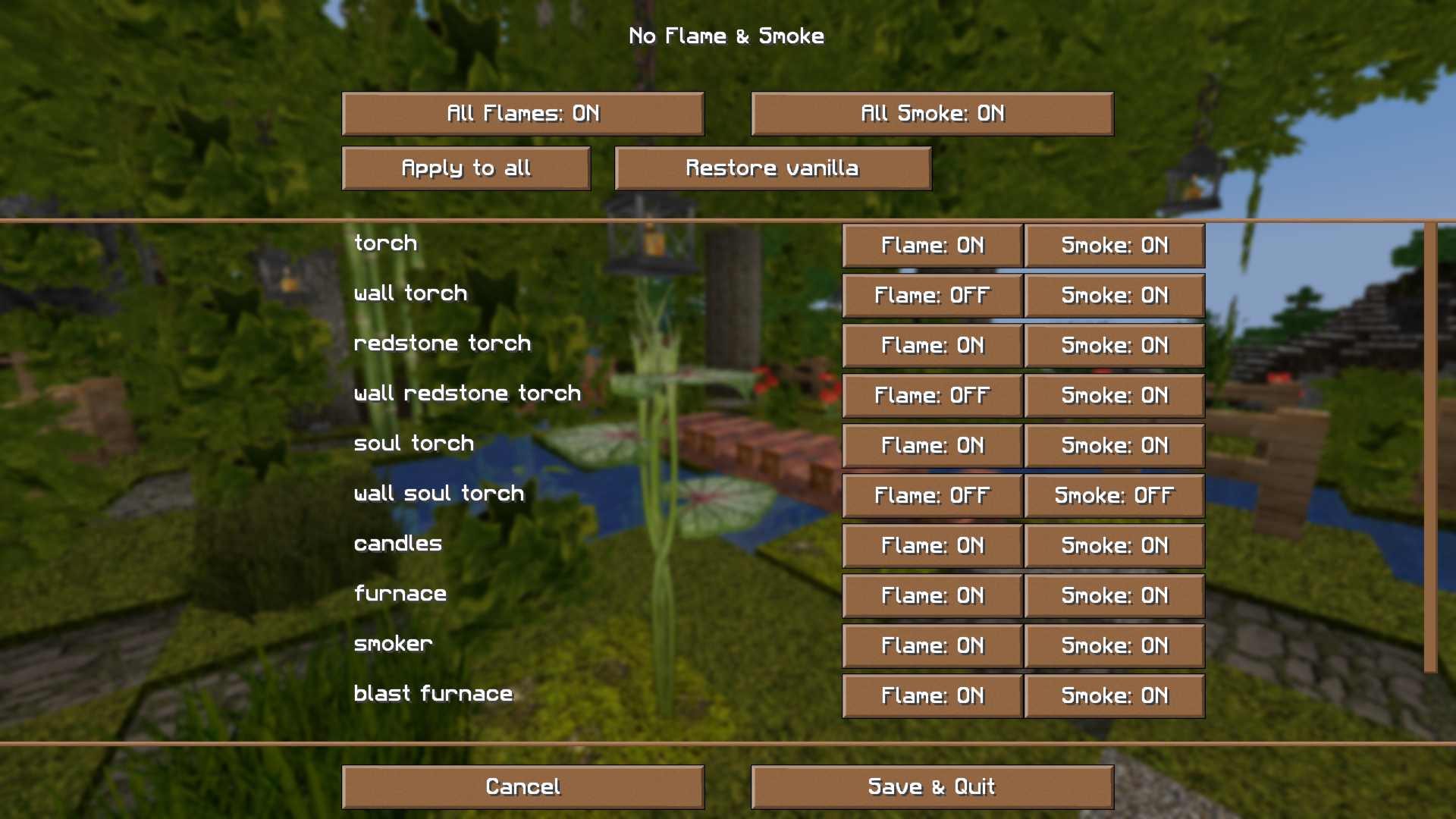
👉 In a simple Mod Menu configuration screen, you can toggle flames and smoke:
globally (for all blocks at once),
or individually (per torch or candle).
Changes apply immediately in-game, no restart required.
By default the game behaves exactly like vanilla – you decide what to disable.
Why?
Minecraft is beautiful, but particles can sometimes be distracting – especially when working on large builds or using photorealistic PBR resource packs.
This mod was created as a companion to my SAH Project Resource Pack (available on Patreon
), but it works perfectly well in vanilla too.
Features
✔ Disable fire and smoke for torches, redstone torches, soul torches, and candles.
✔ Global toggles “disable all flame/smoke.”
✔ “Restore vanilla” button – one click resets everything to default.
✔ Mod Menu support (GUI instead of editing configs).
✔ Blocks not present in your version appear greyed out in the menu.

💛 Thank you for supporting SAH Project
常见问题
SAH Project “No Falame&Smoke” 支持哪些 Minecraft 版本?
SAH Project “No Falame&Smoke” 支持 Minecraft Java 版 1.21–26.3,共 17 个版本,可用的加载器:Fabric。下载时注意选择和你游戏版本一致的文件。
SAH Project “No Falame&Smoke” 怎么安装?
先用 PCL2 或 HMCL 启动器安装对应版本的 Fabric,再把下载的 .jar 文件放进游戏目录的 mods 文件夹,重新启动游戏即可。开启了版本隔离的,mods 文件夹在 versions/版本名 下面。运行环境:仅客户端。


评论
登录后评论和评分